
Marriage biodata with photo — choosing and placing the picture
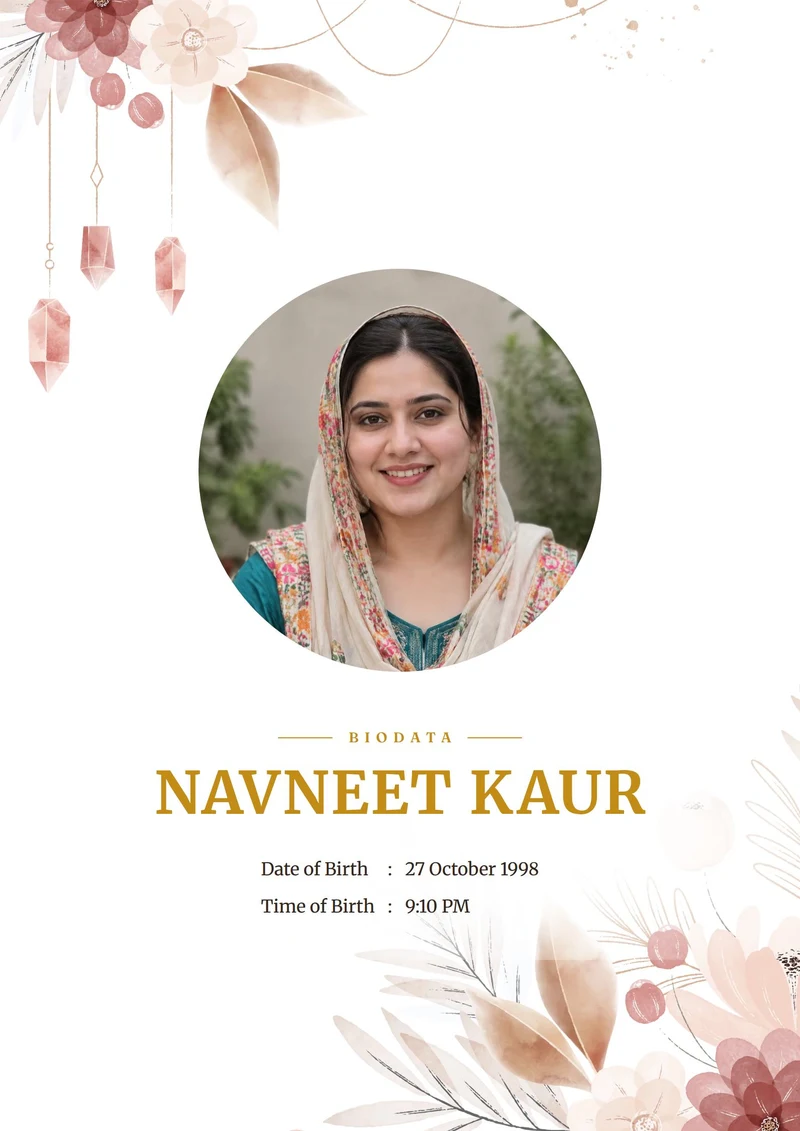
The photo is often the first thing a family looks at. Here is how to choose one, how it sits on the cover, how to add a page of extra photos, and a finished sample with a photo.
Updated 14 October 2026
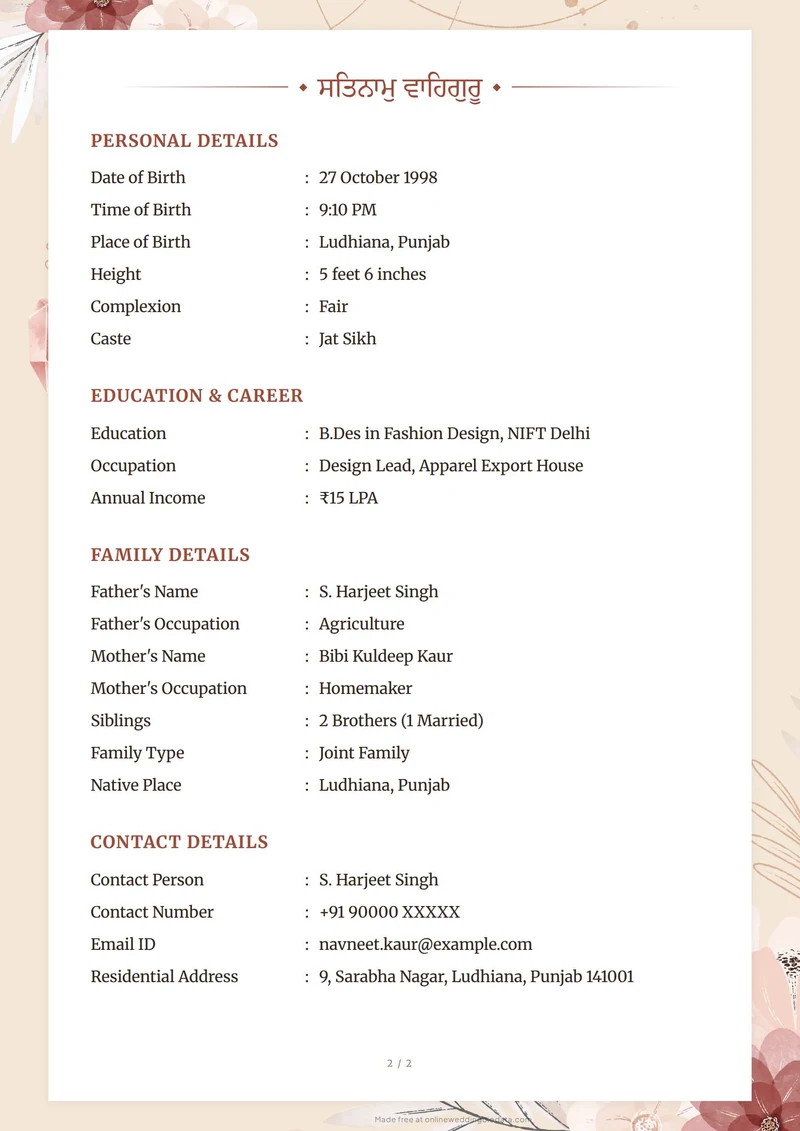
A sample with a photo
What makes a good biodata photo
Our sample photos are the kind a sibling can take with a phone: daylight, a plain background, a natural smile. The people are fictional.
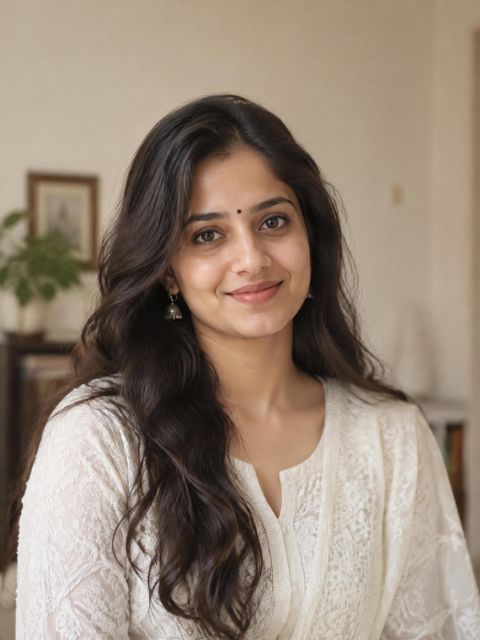
Main photo
Head and shoulders, daylight, plain wall.
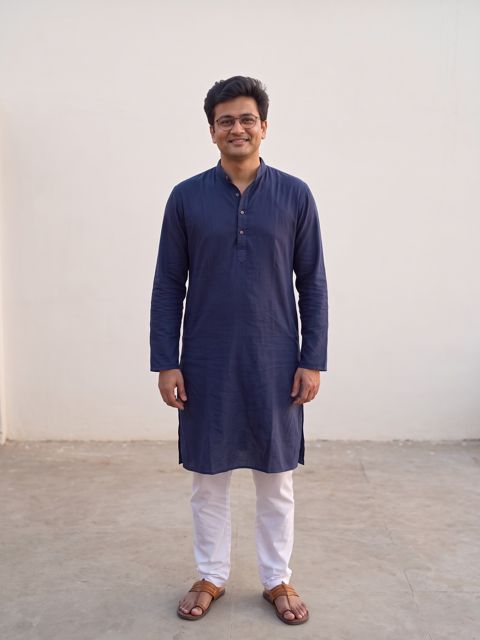
Full length
Head to toe, standing naturally.
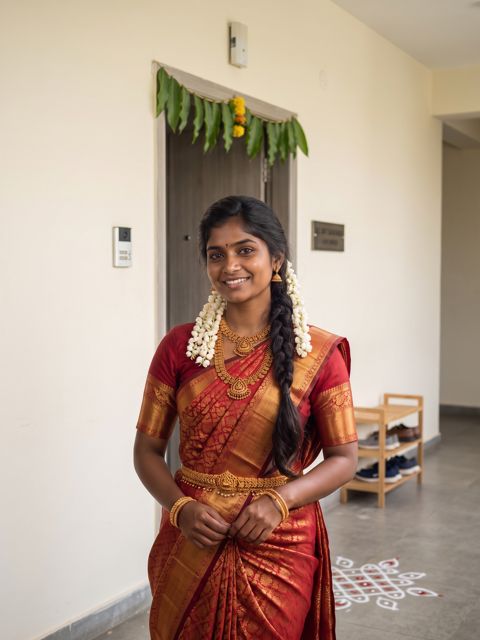
Traditional
Festive wear at home or a family function.
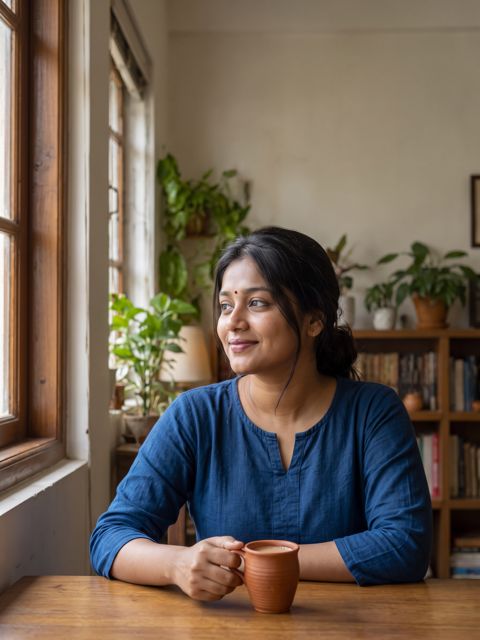
Candid
A warm everyday moment, still neat.
Avoid these:
Avoid: dark or blurry
Faces get lost; take it again near a window.
Avoid: cropped from a group
Edges of other people and a low, soft face.
Avoid: heavy filters
Smoothing or lightening looks unlike you in person.
Avoid: sunglasses or caps
Families want to see your eyes and face.
- Daylight from a window, or outdoors in shade.
- A plain wall or soft green background.
- Head and shoulders, with a little space above the head.
- A natural smile, eyes to the camera.
- A recent photo, from the last 6 months.
How the photo sits on the page
Floral and traditional designs have a frame on the cover. When you add a picture, the maker places the face in the upper part of the frame with room above the head; you can drag it and zoom it until it looks right. What you see in the preview is exactly what prints in the PDF.
Plain modern designs put a smaller photo beside the details. Any photo works in either kind of design.
Adding more photos
Some families like to see a full-length or traditional photo too. Add a photo page at the end of the biodata and pick two to four pictures; the page keeps the same design as the rest of the sheet. Keep it optional — one good photo is better than four average ones.
A biodata without a photo
That is fine too. Choose a design without a frame, or simply skip Add photo; the page closes up neatly. Some families send the photo separately on WhatsApp. For the rest of the sheet, see what to write in a marriage biodata.
Questions
How do I add a photo to my marriage biodata?
Choose a design with a photo frame, press Add photo, pick the picture and drag or zoom it inside the frame. It prints exactly as the preview shows.
Can I add more than one photo?
Yes. Add a photo page at the end of the biodata for extra pictures, such as a full-length or traditional photo.
What kind of photo is best?
A recent photo in daylight, face clearly visible, shoulders in the frame, plain or soft background, and a natural expression.
Are my photos uploaded anywhere?
Photos are used to make your preview and PDF and are stored with your biodata as described in our privacy policy. They are never shown on this site.
Will the photo be blurry in the PDF?
Not if the original is sharp. A normal phone photo is more than enough for an A4 page.
More guides
- Biodata for a girlWhat a girl's biodata usually carries, wording for each row, and a finished sample.
- Biodata for a boyWhat a boy's biodata usually carries — job, income, family — with a finished sample.
- How to make a biodataFive steps from an empty form to a PDF you can send on WhatsApp or print.
- Biodata samplesFinished biodatas for girls and boys, across communities — open the PDF or start from the same design.
- Biodata formatThe sections in the order families read them, with every row explained once.